Infographic Instructional Design
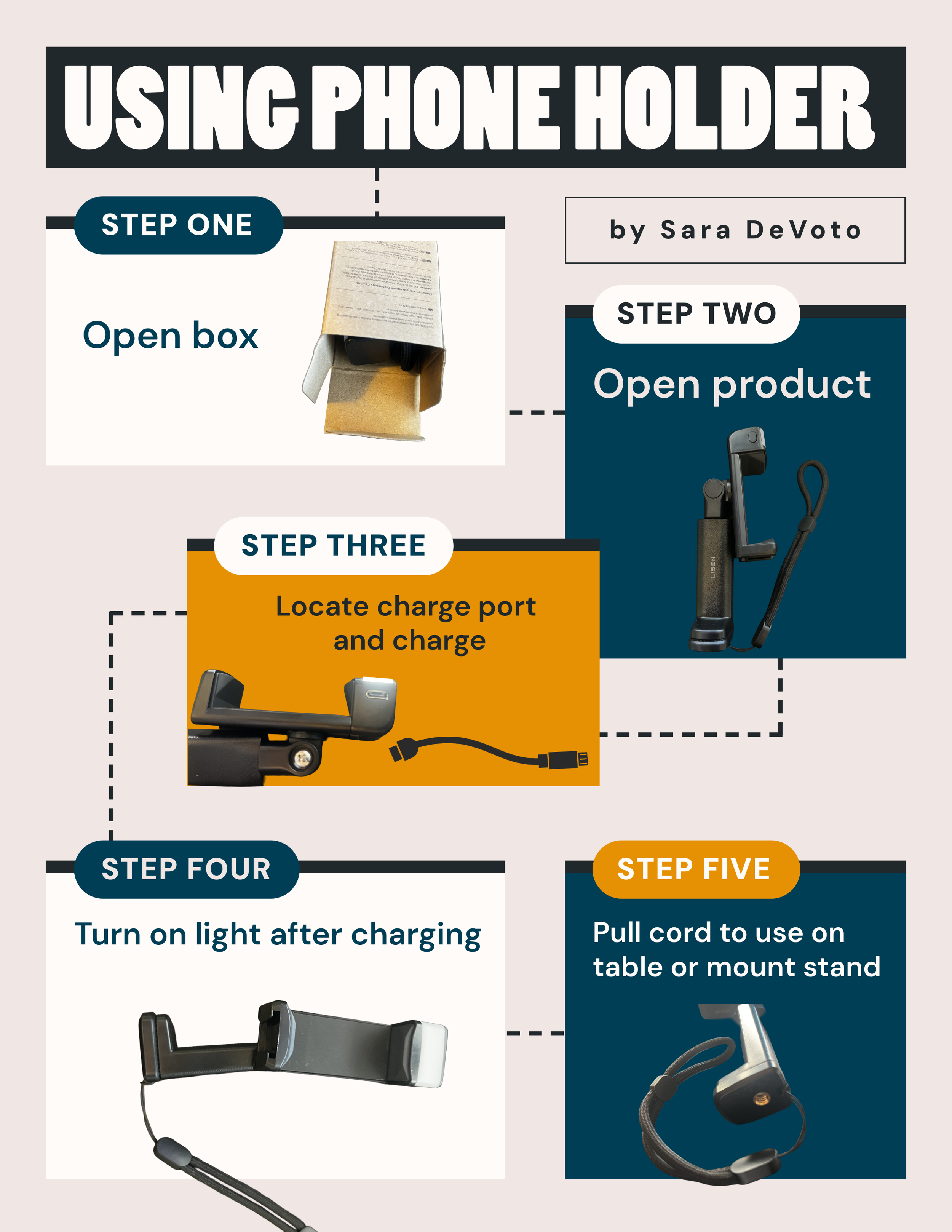
Infographic Example of Instructional Design Using a Phone Holder Device
Client: Personal Project for a fictional client
Made with: iPhone, Adobe Express, Photoshop
Time in Development: 2 hours
Collaborators: Solo-Project
Background
I looked at this device and wondered how I could simplify its instructions into a 1-page format. In several other examples of instructional design photography in the wild, the most effective examples were simple uses of photography.
Solution Developed
For my project, I created branding colors that I limited the design to. I set out an initial draft of this infographic, clearly labeled with each step and a photo that emphasized each step. I limited the final product to 1 page to ensure it could be modified and included with the product.
As one of the solutions I developed during the action-mapping phase of a scenario-based eLearning project, a job aid can serve as a reminder for learners after completing the learning experience. I see this infographic as a part of a larger learning and branding initiative. Using contrast, repetition, and alignment, I created an easy-to-read final document using the web-based program Adobe Express.
Results
The simple design gives the client a piece that is easy to give to any client, demonstrating ease of setup and any questions of use. Using infographics for learning has been a way for me to share complex information or multiple steps into easy-to-learn pieces. When using a step-by-step infographic, it is great to have sequential steps to follow. This also works well, as customers are used to this type of instructional design from other product assemblies and devices they have encountered previously.